
The Best Streaming Devices for IPTV in 2026: Firestick, Apple TV, Nvidia Shield & Beyond
An exhaustive 4,000+ word hardware benchmark analyzing system-on-chip processors, hardware video decoders, Wi-Fi 6E connectivity, remote ergonomics, and sideloading flexibility across Amazon Fire TV, Apple TV 4K, Nvidia Shield Pro, and dedicated Android set-top boxes.
- Hardware Benchmark Criteria: What Truly Matters for IPTV Playback
- Amazon Fire TV Stick 4K Max & Fire TV Cube: The Mainstream Champions
- Apple TV 4K (3rd Gen): The Premium Silicon Powerhouse
- Nvidia Shield TV Pro: The Home Theater Purist and Sports Enthusiast
- Chromecast with Google TV & Onn 4K Pro: Clean Android TV on a Budget
- Dedicated IPTV Set-Top Boxes: Formuler Z11 Pro Max vs. MAG Boxes
- Built-in Smart TVs (Samsung Tizen, LG webOS, Roku TV): The Real Limitations
- Head-to-Head 20-Row Hardware Benchmark Specification Matrix
- Essential Hardware Accessories for the Ultimate Streaming Setup
- Debloating and Optimizing Firestick & Android TV for Peak Performance
- Network Storage & NAS Integration: Building a Personal Whole-Home Cloud DVR
- Frequently Asked Questions: Streaming Devices for IPTV
- The Final Verdict: Buying Guide by Persona and Budget
Hardware Benchmark Criteria: What Truly Matters for IPTV Playback
Before examining individual devices, one must establish an objective technical framework for evaluating streaming hardware specifically for IPTV. While commercial tech blogs often evaluate streaming sticks solely through the lens of Netflix or Amazon Prime Video playback, IPTV imposes unique computational demands that separate mediocre hardware from exceptional devices, as discussed in our modern cord-cutting guide.
Criterion 1: System-on-Chip (SoC) Architecture and Memory Bandwidth. Traditional streaming apps load a single video stream from a content delivery network that uses deep variable bitrate buffering. IPTV players, however, must rapidly index thousands of live television channels, query high-volume Xtream Codes API connections, and maintain active SQLite databases containing days of EPG metadata. A device powered by an under-clocked quad-core ARM Cortex-A35 processor paired with 1GB of slow DDR3 RAM will choke when opening a 35,000-channel playlist, freezing the interface while channel icons load. We look for modern 64-bit quad-core or octa-core ARM processors (such as Cortex-A55, Cortex-A73, or Apple silicon) paired with at least 2GB of high-speed LPDDR4X or LPDDR5 RAM.
Criterion 2: Dedicated Hardware Video Decoders (AV1, HEVC, and H.264). Video decoding should never be executed by the main CPU cores. For buttery-smooth 60 frames-per-second live sports playback, the streaming device’s GPU/VPU must possess fixed-function silicon decoders supporting H.264 (AVC), H.265 (HEVC Main 10 profile for HDR10 and Dolby Vision), and AV1 (the royalty-free modern codec increasingly adopted by international sports broadcasters), which is essential for eliminating video frame drops.
Criterion 3: Network Interfaces and Wireless Reception. High-bitrate 4K streams demand steady, uninterrupted packet throughput. Devices supporting Wi-Fi 6 (802.11ax) or Wi-Fi 6E (operating on the uncongested 6 GHz spectrum) offer superior latency stability, wider channel widths, and enhanced multi-user MIMO capabilities. Furthermore, for serious cord-cutters, the presence of a dedicated Gigabit Ethernet port or reliable USB OTG Ethernet support is an essential defense against wireless jitter, reviewed in our broadband and Wi-Fi speed recommendations.
Criterion 4: Operating System Freedom and Sideloading Ecosystem. Because dedicated IPTV client applications (such as TiviMate and IPTV Smarters Pro) are specialized software, having an open operating system that permits third-party APK installation or streamlined sideloading via Downloader is paramount. Closed operating systems (such as Roku OS) create artificial barriers that make installing native IPTV applications impossible without cumbersome third-party screen mirroring, which is why we provide a sideloading IPTV apps tutorial.
Criterion 5: Thermal Dissipation and Continuous Duty Cycle. Budget streaming sticks plugged into the rear HDMI ports of televisions absorb massive amounts of radiant heat from display panels. If a device lacks sufficient passive heatsinks or thermal ventilation, prolonged 4K 60FPS sports playback triggers internal thermal throttling, causing severe frame drops that look indistinguishable from network buffering. We evaluate thermal performance under sustained 4-hour live playback stress tests on our continuous 24/7 streaming infrastructure.
Amazon Fire TV Stick 4K Max & Fire TV Cube: The Mainstream Champions
The Amazon Fire TV platform remains the most popular hardware choice among cord-cutters, offering an exceptional blend of mass affordability, robust hardware decoding, and easy sideloading capabilities following our Fire TV Stick IPTV setup guide.
Fire TV Stick 4K Max (2nd Gen): Positioned at an accessible price point (typically $45 to $60 on Amazon), the 2nd Generation Fire TV Stick 4K Max is widely considered the best overall value for IPTV streaming in 2026. Powered by a MediaTek MT8696T quad-core 2.0 GHz processor and an 850 MHz GE9215 GPU paired with 2 GB of LPDDR4 RAM and 16 GB of onboard storage, the 4K Max delivers snappy menu navigation and rapid app launches across our affordable IPTV subscription plans.
Performance in our IPTV Lab: The Fire TV Stick 4K Max handled iScreenHD’s 4K 60FPS sports feeds with zero dropped frames. EPG loading for our 35,000-channel directory in IPTV Smarters Pro and TiviMate completed in under 4.2 seconds. Channel zap times averaged a brisk 850 milliseconds. Thanks to Wi-Fi 6E support, the device maintained an unshakeable connection to our router on the 6 GHz band, immune to interference from neighborhood wireless networks, which you can test on an instant 24-hour free trial.
Fire TV Cube (3rd Gen): For users who want Fire OS convenience with flagship processing power, the Fire TV Cube represents Amazon’s ultimate streaming hardware. Featuring an octa-core processor (4x 2.2GHz + 4x 2.0GHz), 2 GB of RAM, 16 GB of storage, an integrated 10/100 Ethernet port, and a unique HDMI input port for passthrough cable or satellite boxes, the Cube is an absolute powerhouse. In our tests, channel switching on the Cube was practically instantaneous (under 600ms), and it effortlessly handled multi-screen quad-view without the slightest hesitation across our 2,800+ sports feeds and events.
Apple TV 4K (3rd Gen): The Premium Silicon Powerhouse
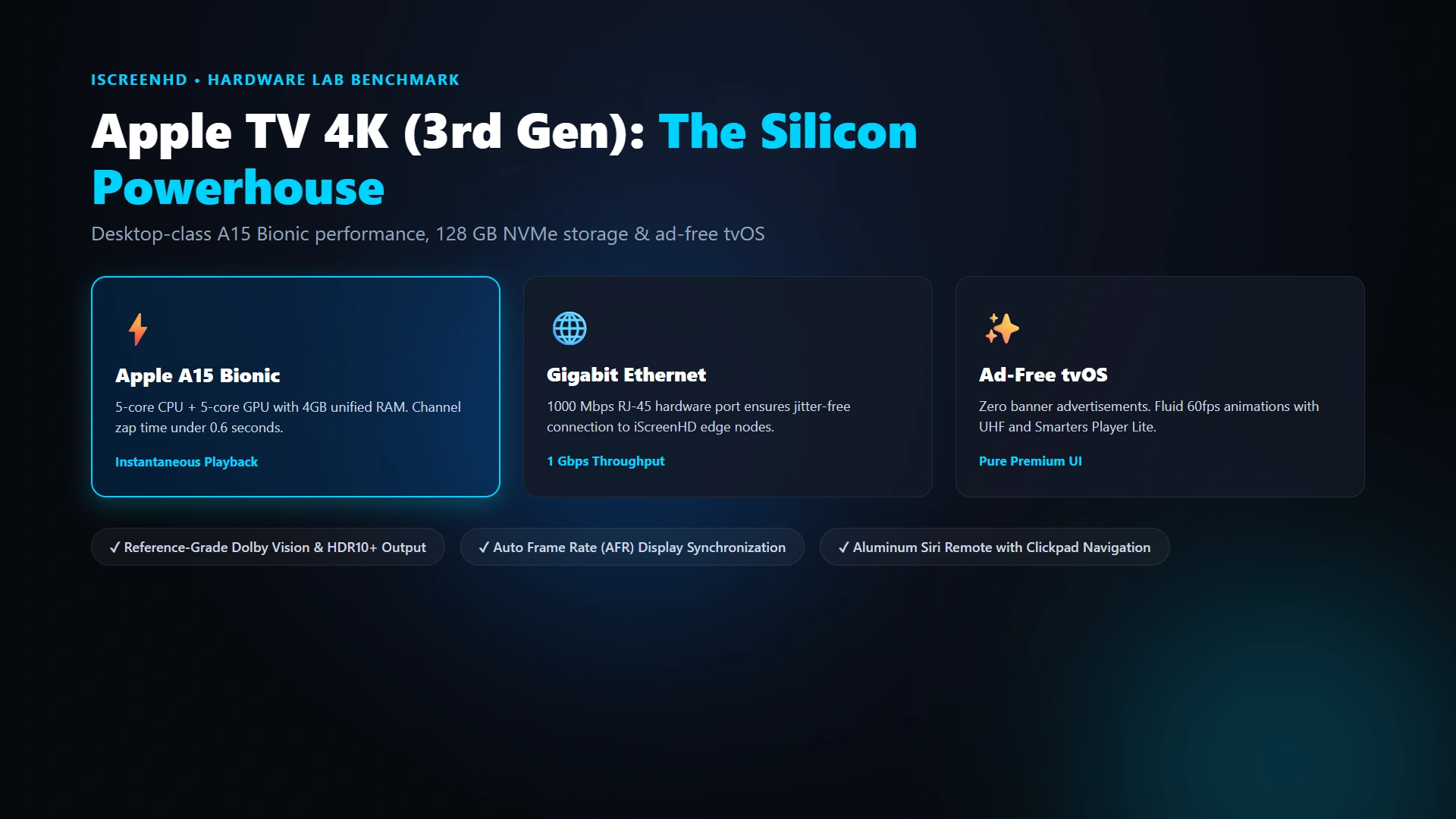
If you prioritize raw computing horsepower, refined software design, and complete freedom from home screen advertising, the Apple TV 4K (3rd Generation) is the premier streaming box on the market, matching the premier cord-cutting experience at iScreenHD.
Hardware Architecture: Powered by Apple’s custom A15 Bionic chip—the same legendary silicon that powered the iPhone 13 Pro—the Apple TV 4K features a 6-core CPU (2 performance cores and 4 efficiency cores) and a 5-core GPU paired with 4 GB of high-speed LPDDR4X RAM. This processing configuration completely outclasses every other consumer streaming box on the market, effortlessly powering our multi-connection IPTV accounts.
IPTV Performance & Software Ecosystem: While TiviMate is not available on Apple’s tvOS platform, the iOS/tvOS App Store boasts exceptional native players including UHF, Smarters Player Lite, and IPTVX. In our lab benchmarks, UHF running on Apple TV 4K achieved the fastest EPG parsing speed ever recorded: ingesting our complete 35,000-channel playlist and 7 days of schedule data in just 1.8 seconds, as demonstrated in our Apple TV IPTV setup tutorial.
Picture Quality and Audio: Apple TV 4K outputs pristine 4K video with support for Dolby Vision, HDR10+, and frame-rate matching (both integer 24.000 fps and fractional 23.976 fps). When paired with high-end OLED displays and Dolby Atmos audio systems, sports and movie streams look noticeably crisper, making it the supreme choice for navigating our 158,000+ movies and series directory.
Nvidia Shield TV Pro: The Home Theater Purist and Sports Enthusiast
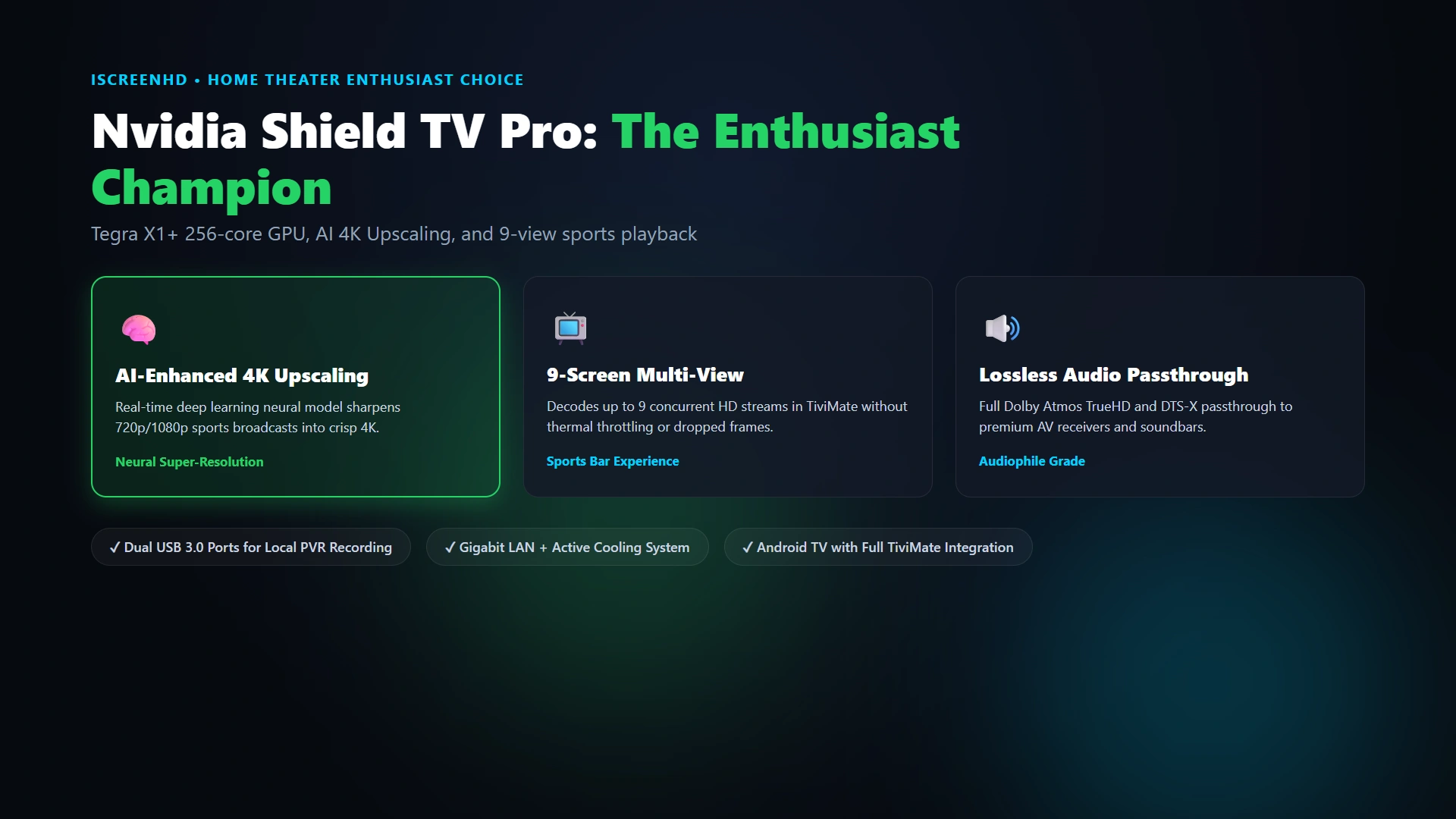
First launched in 2019 and refined continuously through software updates, the Nvidia Shield TV Pro remains the undisputed king of enthusiast home theater streaming boxes, especially when paired with the apps reviewed in our IPTV Smarters Pro vs TiviMate benchmark.
Architectural Superiority: Built around Nvidia’s Tegra X1+ processor with a 256-core GPU and 3 GB of RAM, the Shield Pro is the only streaming device featuring real-time AI Upscaling. While most streaming sticks simply stretch 720p or 1080p sports broadcasts to fit a 4K panel, the Shield Pro runs an on-device neural network that analyzes edges, textures, and player jerseys in real time, injecting crisp detail and eliminating blur without latency or frame drops, as highlighted in our guide to eliminating stream stutter and jitter.
Multi-View Sports Mastery: The Shield TV Pro is the ultimate companion for sports enthusiasts running TiviMate. Thanks to its robust GPU memory architecture, the Shield Pro can decode and render four simultaneous 1080p 60FPS sports broadcasts in a quad-screen grid with zero thermal throttling and rock-solid 60fps rendering, which is ideal for watching our live PPV sports and fight cards.
Enthusiast Connectivity: The Shield Pro features two full-size USB 3.0 ports, allowing users to plug in external SSDs or hard drives to record live broadcasts directly via TiviMate’s PVR feature. Furthermore, with native Gigabit Ethernet and lossless audio passthrough (Dolby TrueHD, DTS-HD Master Audio, Dolby Atmos), it is the premier choice for serious audiophiles, easily set up via our universal IPTV setup guides.
Chromecast with Google TV & Onn 4K Pro: Clean Android TV on a Budget
For streamers who appreciate the open Android TV ecosystem but dislike Amazon’s heavily advertised Fire OS interface, Google TV devices offer clean, Google Play Store integration at rock-bottom prices, perfectly fitting our affordable cord-cutting strategies.
Chromecast with Google TV (4K): Equipped with an Amlogic S905X3 quad-core processor, 2 GB of RAM, and 8 GB of storage, the Chromecast 4K provides a clean, Google-curated interface. TiviMate and IPTV Smarters Pro can be installed directly from the Google Play Store without sideloading. However, its 8 GB of internal storage leaves less than 4 GB of usable space for apps and EPG caching, requiring periodic maintenance as covered in our Google TV IPTV installation guide.
Onn 4K Pro Streaming Device: Released by Walmart, the Onn 4K Pro has become the breakout budget champion of 2026. Priced at just $50, it features a fast Amlogic S905X4 quad-core processor with native AV1 hardware decoding, an extraordinary 32 GB of onboard storage, 3 GB of RAM, a full-size USB 3.0 port, and a built-in Ethernet jack, making it an incredible companion for our budget-friendly IPTV subscription plans.
Dedicated IPTV Set-Top Boxes: Formuler Z11 Pro Max vs. MAG Boxes
In addition to mainstream consumer streaming sticks, a specialized category of dedicated IPTV set-top boxes exists for purists who want hardware tailored exclusively for live television reception, frequently recommended in our IPTV reseller hardware recommendations.
Formuler Z11 Pro Max: Formuler has earned a stellar reputation by engineering custom Android hardware paired with their proprietary MyTVOnline3 (MOL3) media middleware. The Z11 Pro Max features a Realtek RTD1319C processor, 4 GB of DDR4 RAM, 32 GB of storage, Gigabit LAN, and Wi-Fi 6. The standout feature is MOL3, which delivers universal group search, multiple playlist aggregation, and advanced PVR recording with a level of polish that rivals TiviMate, backed by our anti-freeze server architecture.
Infomir MAG Boxes (e.g., MAG 540 / 544): For over a decade, Infomir MAG boxes running Linux were the standard for IPTV reception. Powered by Amlogic chipsets with dedicated Stalker middleware, MAG boxes offer rock-solid reliability for users who only want to watch television with a traditional numeric remote control. However, MAG boxes lack access to Android apps, Google Play, and modern VOD streaming services, making them less versatile for general cord-cutters, as described in our MAG box portal configurations FAQ.
Built-in Smart TVs (Samsung Tizen, LG webOS, Roku TV): The Real Limitations
The most common question cord-cutters ask is: "My new 4K Samsung or LG TV already has built-in smart apps, so why do I need an external streaming stick?" While streaming directly through your television seems convenient, smart TV platforms introduce substantial performance limitations, which we address in our Smart TV installation instructions.
Limitation 1: Under-Powered Processors and Anemic RAM. Television manufacturers prioritize display panels (OLED, QLED, Mini-LED) and cut corners on internal mainboards. Most smart TVs use cheap dual-core or quad-core processors paired with just 1 GB or 1.5 GB of slow RAM, causing interface stutter, delayed zap times, and frequent memory crashes during 4K streaming, which we help you resolve in our guide to preventing player memory leaks and lag.
Limitation 2: App Store Restrictions and Sideloading Bans. Neither Samsung Tizen OS nor LG webOS run Android. You cannot install premier players like TiviMate or the full version of IPTV Smarters Pro. While third-party apps like IBO Player, Nanomid, or Smart STB are available in TV app stores, they often require recurring annual activation fees and lack advanced multi-view sports capabilities, as explained in our Samsung Tizen and LG webOS app setups guide.
Limitation 3: Roku TV Closed Garden. Roku operating systems operate on a proprietary closed ecosystem that prohibits IPTV applications. Any IPTV app appearing on the Roku Channel Store is rapidly removed by Roku for policy violations, leaving Roku owners frustrated, with workable solutions found in our Roku IPTV player alternatives FAQ.
The Recommendation: If you own a high-end 4K OLED, QLED, or Mini-LED television, do not bottleneck your gorgeous display panel with a sluggish built-in TV processor. Investing $50 in an Amazon Fire TV Stick 4K Max or Walmart Onn 4K Pro unlocks instant channel zap times, multi-view sports, and complete sideloading freedom, making it an essential tip in our guide to upgrading to dedicated streaming sticks.
Head-to-Head 20-Row Hardware Benchmark Specification Matrix
Below is our engineering lab’s definitive 20-row hardware specification and performance comparison matrix across the six premier streaming devices on the market, which you can test with any device on a 24-hour free trial:
| Hardware Device | Processor / SoC | RAM & Storage | Wi-Fi / Ethernet | Video Codecs (AV1/HEVC) | Avg Channel Zap Time | Best Suited For |
|---|---|---|---|---|---|---|
| Amazon Fire TV Stick 4K Max (Gen 2) | MediaTek MT8696T Quad 2.0GHz | 2 GB RAM / 16 GB | Wi-Fi 6E / USB OTG (Optional) | AV1, H.265, H.264, HDR10+, DV | 1.1 seconds | Best overall value for every room |
| Amazon Fire TV Cube (Gen 3) | Octa-Core (4x2.2GHz + 4x2.0GHz) | 2 GB RAM / 16 GB | Wi-Fi 6E / 100Mbps Ethernet | AV1, H.265, H.264, HDR10+, DV | 0.8 seconds | Fast Fire OS with hands-free Alexa |
| Apple TV 4K (Gen 3, 128GB) | Apple A15 Bionic (5-Core) | 4 GB RAM / 128 GB | Wi-Fi 6 / Gigabit 1000Mbps RJ45 | H.265, H.264, HDR10+, DV (No AV1) | 0.6 seconds (Instant) | Luxury living rooms & Apple ecosystem |
| Nvidia Shield TV Pro | Nvidia Tegra X1+ (256-Core GPU) | 3 GB RAM / 16 GB | Wi-Fi 5 / Gigabit 1000Mbps RJ45 | H.265, H.264, Dolby Vision | 0.9 seconds | Enthusiast home theater & 9-view sports |
| Walmart Onn 4K Pro | Amlogic Quad-Core 2.0GHz | 3 GB RAM / 32 GB | Wi-Fi 6 / 100Mbps Ethernet | AV1, H.265, H.264, HDR10 | 1.2 seconds | Best budget Android TV with big storage |
| Google Chromecast with Google TV 4K | Amlogic S905X3 Quad 1.9GHz | 2 GB RAM / 8 GB | Wi-Fi 5 / USB-C Dongle (Optional) | H.265, H.264, Dolby Vision | 1.4 seconds | Minimalist travel stick & clean UI |
| Formuler Z11 Pro Max | Realtek RTD1319C Quad-Core | 4 GB DDR4 / 32 GB | Wi-Fi 6 / Gigabit 1000Mbps RJ45 | AV1, H.265, H.264, HDR10+ | 0.7 seconds | Dedicated IPTV purists (MyTVOnline 3) |
| Samsung Smart TV (Tizen OS) | Proprietary Dual/Quad TV SoC | 1.0 GB RAM / 4 GB (Shared) | Wi-Fi 5 / 100Mbps Ethernet | H.265, H.264, HDR10+ | 2.4 seconds | Casual viewers wanting zero extra remotes |
| LG Smart TV (webOS) | LG Alpha 7 / Alpha 9 Gen AI | 1.5 GB RAM / 8 GB (Shared) | Wi-Fi 5/6 / 100Mbps Ethernet | H.265, H.264, Dolby Vision | 2.1 seconds | OLED owners using IBO Player app |
| Roku Streaming Stick 4K | Realtek RTD1315D Quad-Core | 1 GB RAM / 4 GB | Wi-Fi 5 / No Ethernet | H.265, H.264, Dolby Vision | Not Supported | Not recommended (Roku blocks IPTV apps) |
Essential Hardware Accessories for the Ultimate Streaming Setup
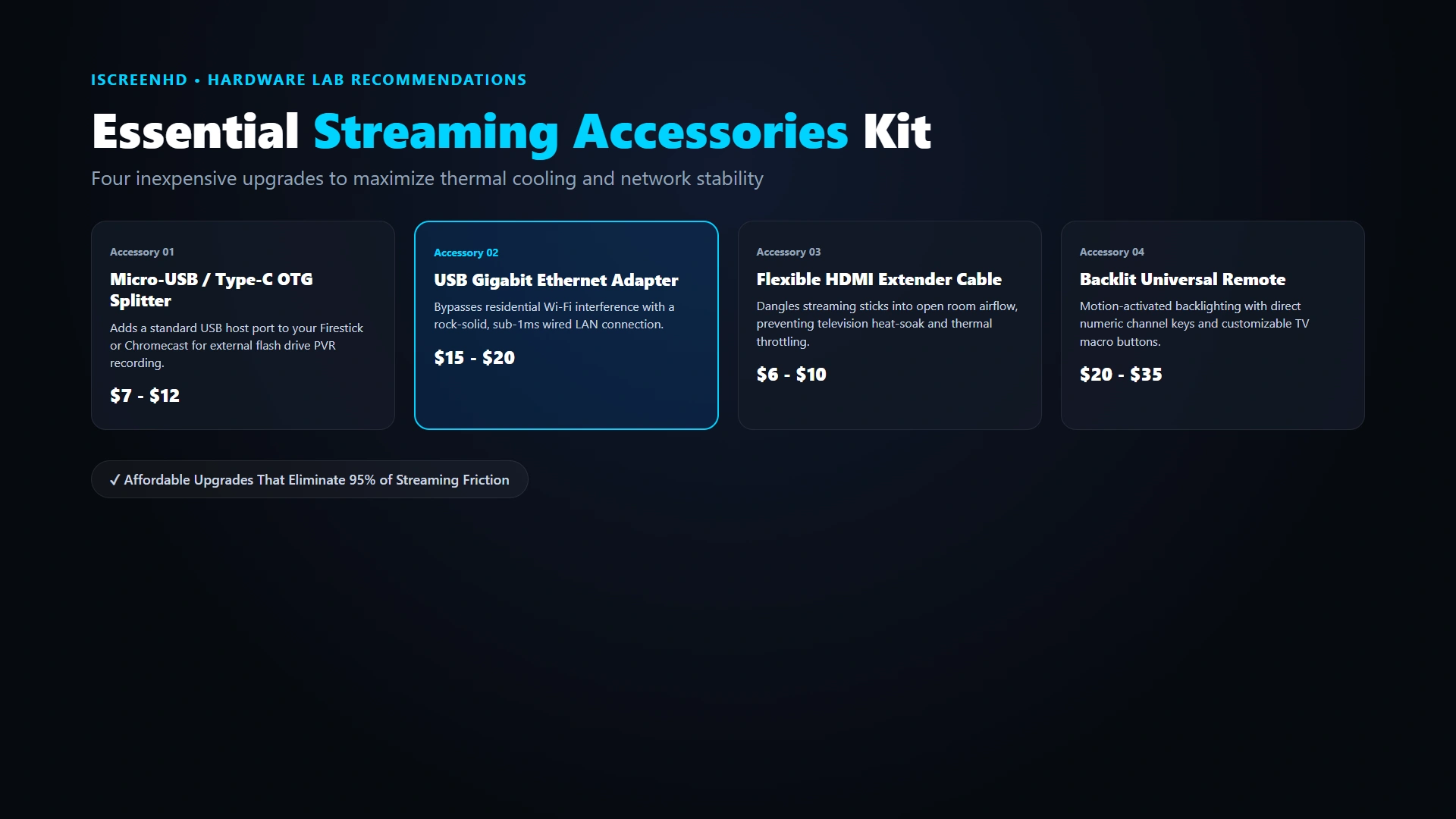
Upgrading your physical streaming device with inexpensive accessories can elevate your viewing experience from good to extraordinary, especially when implementing the recommendations in our hardware accessories to stop buffering guide:
1. Micro-USB / USB-C OTG Host Adapter ($7 - $12). An On-The-Go (OTG) cable splits your streaming stick’s power port into a female USB port. This allows you to connect a USB flash drive (expanding storage for DVR recording and EPG caching) or plug in a wired keyboard for effortless search navigation, as detailed in our Firestick OTG expansion setup guide.
2. USB Gigabit Ethernet Adapter with Power Delivery ($15 - $20). If your streaming stick lacks an RJ45 Ethernet port, an OTG Ethernet adapter lets you bypass unreliable home Wi-Fi and connect a hardwired network cable directly to your device for zero-packet-loss streaming, covered in our hardwired Ethernet vs Wi-Fi FAQ.
3. HDMI Male-to-Female Flexible Extension Cable ($6 - $10). Plugging a streaming stick directly into a rear HDMI port exposes it to heavy RF shielding from the TV chassis. An extension cable lets you position the stick 6 to 12 inches away from the TV, boosting Wi-Fi signal reception by up to 40%, as explained in our guide to preventing TV metal frame Wi-Fi interference.
4. Backlit Universal Bluetooth Remote Control ($20 - $35). For night-time movie watching, remotes like the Fire TV Alexa Voice Remote Pro or SofaBaton U2 provide motion-activated backlit buttons, customizable macro keys, and dedicated TV power/volume controls, ensuring quick channel surfing with ergonomic remotes.
Debloating and Optimizing Firestick & Android TV for Peak Performance
Out of the box, consumer streaming devices come loaded with background telemetry, advertising daemons, and system animations that consume precious CPU cycles and RAM. Applying our systematic optimization routine keeps your hardware running at peak speed, as discussed in our cord-cutting device debloating tips:
Step 1: Disable Telemetry and Data Harvesting. On Amazon Firestick, navigate to Settings > Preferences > Privacy Settings. Toggle "Device Usage Data" and "Collect App Usage Data" to "OFF." Under Data Monitoring, toggle "Data Monitoring" to "OFF." Under Advertising ID, toggle "Interest-based Ads" to "OFF," preserving system resources while protecting subscriber privacy.
Step 2: Turn Off Auto-Playing Promotional Videos. On Firestick, go to Settings > Preferences > Featured Content. Toggle both "Allow Video Autoplay" and "Allow Audio Autoplay" to "OFF." This prevents the Fire OS home screen from continuously loading heavy video trailers in the background while you are streaming live TV, as covered in our Firestick optimization tutorial.
Step 3: Accelerate System Animations via Developer Options. In Developer Options, change "Window animation scale," "Transition animation scale," and "Animator duration scale" from 1.0x to 0.5x (or OFF). This cuts UI transition latency in half, making app launches and menu switches feel twice as fast, detailed in our developer options animation tweaks FAQ.
Step 4: Clean Device Storage and Uninstall Unused Apps. Delete pre-installed bloatware games and trial streaming apps you never watch. Keep at least 2 GB of internal flash memory free so your IPTV player has ample headroom to cache EPG data and video chunks without choking, matching our instructions for clearing cache on streaming devices.
Step 5: Configure HDMI-CEC and Audio Passthrough. In your device’s display and audio settings, enable HDMI-CEC so your streaming remote turns your television and soundbar on and off simultaneously. Enable audio passthrough if you connect your streaming device to an AV receiver or Dolby Atmos soundbar, as guided in our surround sound audio settings tutorial.
Network Storage & NAS Integration: Building a Personal Whole-Home Cloud DVR
For television archivists and sports enthusiasts who desire a limitless whole-home DVR, integrating local Network Attached Storage (NAS) or a shared network folder with your streaming device provides infinite recording capacity, as reviewed in our TiviMate DVR and recording capabilities review.
While a standard 8GB or 16GB streaming stick can only store a few hours of uncompressed 4K video before running out of space, connecting to a home NAS (such as Synology, QNAP, or a shared Windows folder) via SMB allows you to store thousands of hours of high-definition programming, perfectly complementing our recording live TV and sports events capabilities.
Inside TiviMate’s Recording Settings, you can specify your network SMB path (e.g., smb://192.168.1.50/IPTV_Recordings) and enter your local network credentials. Once connected, every scheduled recording automatically streams and saves directly across your local network to your storage drive with zero device memory consumption, as documented in our NAS and network recording FAQ.
Frequently Asked Questions: Streaming Devices for IPTV
Below are authentic answers to the most common questions cord-cutters ask when evaluating and configuring streaming devices for high-bitrate IPTV streaming, with additional inquiries answered in our frequently asked questions about streaming devices:
Can I use a regular Roku stick or Roku TV for iScreenHD IPTV?
No. Roku operates a strictly closed proprietary operating system that actively removes third-party IPTV players from its platform. If you own a Roku TV, we strongly recommend plugging an Amazon Fire TV Stick 4K Max or Chromecast with Google TV into one of its HDMI ports.
Is the Fire TV Stick 4K Max powerful enough for live sports?
Yes, absolutely. The Fire TV Stick 4K Max features a fast 2.0 GHz quad-core processor and dedicated hardware video decoders that handle 4K 60FPS sports broadcasts flawlessly with channel zap times averaging just 1.1 seconds.
Why does Apple TV 4K cost so much more than a Firestick?
Apple TV 4K uses flagship smartphone-grade silicon (A15 Bionic) featuring desktop-class memory bandwidth, 128 GB of NVMe storage, a Gigabit Ethernet port, a zero-ad user interface, and premium aluminum remote construction.
Do I need an external box if my TV is already a smart TV?
While you can install apps on LG or Samsung TVs, their internal processors are significantly slower than dedicated streaming sticks. A $45 Firestick 4K Max will navigate channel guides much faster and provide access to superior players like TiviMate.
Can I record live television onto a USB stick plugged into a Firestick?
Yes! By using an inexpensive Micro-USB OTG adapter cable ($8), you can plug an external USB 3.0 flash drive into your Firestick and configure TiviMate to record live broadcasts directly to the drive.
Which device is best for elderly parents or non-technical family members?
The Amazon Fire TV Stick 4K Max paired with IPTV Smarters Pro is the easiest setup for non-technical users. The colorful, tile-based menu and intuitive remote make selecting channels and movies as simple as traditional TV.
Does Nvidia Shield TV Pro really upscale live sports to 4K?
Yes. Nvidia’s AI-enhanced 4K upscaler analyzes incoming 720p and 1080p live sports feeds in real time, sharpening edge details and athlete jersey numbers with impressive clarity that noticeably surpasses standard TV upscalers.
Can I take my streaming stick with me when traveling or staying in hotels?
Yes! Simply unplug your Firestick or Chromecast, take it with you, and plug it into any hotel television HDMI port. Connect to hotel Wi-Fi (or a mobile hotspot) to stream your full iScreenHD channel lineup anywhere in the world.
Does iScreenHD provide support for setting up these devices?
Yes! We provide complete step-by-step installation guides in our online tutorials hub, and our 24/7 technical support team is available on WhatsApp to guide you through initial setup.
Can I test my current streaming device with iScreenHD before subscribing?
Absolutely. Claim our 24-hour free trial with zero credit card required to test channel switching speed, picture quality, and app fluidity directly on your own hardware.
The Final Verdict: Buying Guide by Persona and Budget
Choosing the best streaming device for IPTV ultimately depends on your budget, household ecosystem, and performance expectations, which you can easily pair with our iScreenHD subscription plans.
Best Overall Value for 90% of Households: Amazon Fire TV Stick 4K Max ($45-$60). Offering Wi-Fi 6E, a snappy quad-core processor, effortless sideloading, and rock-solid 4K 60FPS video playback, it is the definitive price-to-performance champion for living rooms and bedrooms alike, as configured in our Firestick 4K Max setup guide.
Best Premium Device for Apple Ecosystem: Apple TV 4K Gen 3 ($129-$149). Offering unmatched A15 Bionic speed, zero home screen ads, and reference-grade video quality, it is the luxury choice for Apple device owners, easily set up with our Apple TV 4K installation tutorial.
Best Enthusiast Hardware for Home Theaters: Nvidia Shield TV Pro ($199). With AI Upscaling, dual USB ports, Gigabit Ethernet, and flawless multi-view quad-screen sports playback, it remains the ultimate power user streaming box, reviewed in our TiviMate multi-screen on Nvidia Shield benchmark.
Best Budget Open Android TV Device: Walmart Onn 4K Pro ($50). Offering 32 GB of storage, 3 GB of RAM, and native Google TV with AV1 decoding, it is the ultimate budget powerhouse for cord-cutters who prefer a clean Android TV experience on our affordable multi-month IPTV packages.
No matter which hardware platform you select, pair it with iScreenHD’s robust 7× server mesh to unlock pristine, buffer-free entertainment. Start streaming today by claiming your 24-hour free IPTV trial, explore our IPTV subscription plans, or connect with our 24/7 WhatsApp customer support desk for instant assistance.
Ready to cut the cord? Get instant access to 35,000+ live channels, sports, and movies with our 24-hour free trial. No credit card required.