Discover expert tutorials, hardware comparisons, and actionable guides to eliminate cable bills, optimize 4K streams, and master modern television streaming.
Traditional cable subscriptions have reached historic highs, with the average US household spending over $1,800 annually on rigid TV packages, rental fees, and regional sports surcharges. Discover how modern IPTV replaces traditional cable with 35,000+ live channels at a fraction of the cost.
Selecting the proper media player is just as critical as choosing a premium IPTV provider. We benchmark IPTV Smarters Pro and TiviMate IPTV Player across user interface design, electronic program guide caching, multi-screen sports monitoring, video decoding engines, and daily usability.
Nothing ruins a high-stakes football game or championship fight faster than a buffering screen. Learn the technical causes of IPTV freezing—from local Wi-Fi packet loss to ISP throttling—and follow our verified engineering protocol to ensure uninterrupted 4K streaming.
Not all streaming devices are created equal when handling high-bitrate 4K IPTV streams. We evaluate processing power, Wi-Fi 6E reception, audio passthrough, and app sideloading flexibility across Amazon Fire TV, Apple TV 4K, Nvidia Shield, and dedicated set-top boxes.
The global IPTV market is expanding rapidly as cord-cutting accelerates worldwide. Discover how entrepreneurs launch profitable digital businesses reselling iScreenHD subscriptions using intuitive wholesale credit panels with up to 100% profit margins.
Cord-Cutting•22 min read•Published on October 27, 2026
Cut the Cord: The Definitive 2026 Guide to Replacing Cable TV with 4K IPTV
A comprehensive, step-by-step masterclass on eliminating exorbitant $180/mo cable bills, retaining every live sports and local channel, and upgrading to buffer-free 4K streaming.
For decades, American and Canadian households accepted skyrocketing cable and satellite bills as an unavoidable cost of modern living. Every January, subscribers opened their monthly statements to discover another round of unannounced rate hikes, newly invented "regional sports network surcharges," and increased equipment rental charges for set-top boxes that had not seen a hardware revision in half a decade. By 2026, the average household television package has surpassed $165 to $210 per month—translating to a staggering $2,000 to $2,500 every single year simply to watch live sports, evening news, and primetime television. Meanwhile, millions of forward-thinking cord-cutters have liberated their entertainment budgets by migrating to high-performance Internet Protocol Television (IPTV). By leveraging high-speed fiber broadband and modern edge-server architecture, services like iScreenHD deliver over 35,000 live channels, 2,800 sports feeds, and 158,000 on-demand movies in crystal-clear 4K Ultra HD for as little as $14.99 per month via our flexible IPTV subscription plans. In this comprehensive guide, we walk you through every aspect of cutting the cord permanently: deconstructing the hidden fees of legacy cable, calculating exact bandwidth requirements, selecting the best streaming hardware, ensuring you never miss a local broadcast or playoff game, and executing a seamless transition that permanently saves your household thousands of dollars. You can even test our service first with an instant 24-hour free IPTV trial.
The Anatomy of a Modern Cable Bill: Unmasking the Hidden Charges
The anatomy of a modern cable bill: Broadcast surcharges, RSN fees, and hardware rental charges.
To understand why cord-cutting has transformed from a niche hobby into an unstoppable cultural movement, one must examine the deceptive pricing architecture used by legacy cable and satellite conglomerates. When prospective subscribers sign up for a cable package advertised at "$79.99 per month," they frequently discover that their actual out-of-pocket invoice exceeds $170 once mandatory hidden fees are applied—prompting many to switch to transparent IPTV pricing with zero contract obligations.
The first major culprit is the Broadcast TV Surcharge. Originally introduced as a nominal $1 to $2 line item, this fee has ballooned to $18 to $25 per month across major telecom providers like Comcast Xfinity, Spectrum, and Cox. Cable companies claim this charge covers the retransmission consent fees paid to local network affiliates (such as ABC, CBS, NBC, and FOX). In essence, cable providers charge subscribers over $250 annually for network signals that are legally broadcast over public airwaves for free, whereas iScreenHD includes all major local broadcast television channels at no supplemental charge.
The second predatory charge is the Regional Sports Network (RSN) Fee. Even if you never watch a single baseball, hockey, or basketball game, cable providers tack on a mandatory monthly fee ranging between $12 and $19 to subsidize exclusive regional broadcast rights. If your household has three televisions, cable providers compound these fees with Hardware Rental Surcharges. Each digital set-top box costs between $10 and $14 per month to rent. Over a standard two-year contract, a family with three TVs pays upwards of $800 simply for the privilege of renting outdated, heat-generating hardware boxes that the cable company already amortized years ago, while iScreenHD provides 2,800+ dedicated sports feeds and full multi-device freedom.
When you factor in High-Definition Technology Fees ($10/mo), Cloud DVR Storage Surcharges ($12/mo), state franchise regulatory recovery fees ($8/mo), and local municipal telecommunications taxes, the advertised "$79.99" package routinely surpasses $180 per month. Over a five-year period, a homeowner forfeits more than $11,000 to legacy cable providers—capital that could have funded family vacations, home improvements, or retirement investments, making our contract-free IPTV subscription plans a massive household financial relief.
What is IPTV and How Does Modern Streaming Architecture Operate?
Internet Protocol Television, universally abbreviated as IPTV, represents the natural evolution of visual media transmission. Traditional cable television relies on vast networks of physical coaxial cables and fiber-coax hybrids that deliver radio frequency (RF) channels simultaneously to your living room wall. Satellite television functions similarly by beaming high-frequency Ku-band signals down to an outdoor parabolic dish that must maintain an uninterrupted line-of-sight to geostationary satellites orbiting 22,236 miles above the equator. Both legacy architectures suffer from inherent physical constraints: terrestrial cables are vulnerable to physical line breaks, while satellite dishes experience severe signal degradation during rain, snow, and heavy cloud cover ("rain fade"), whereas modern internet streaming utilizes a robust 7x distributed edge server infrastructure.
IPTV bypasses physical broadcast mediums entirely by digitizing television signals and transmitting them as encrypted data packets over standard internet protocols—the exact same underlying transmission control protocol/internet protocol (TCP/IP) architecture that powers web browsing, streaming music, and cloud computing. When you select a channel on an IPTV player, your streaming device sends an instant request to an upstream edge server via an HTTP Live Streaming (HLS) or Transport Stream (TS) protocol, easily configurable through our Xtream Codes API setup tutorials.
The server continuously ingests raw broadcast feeds from direct satellite earth stations and fiber master control rooms, transcode them into highly optimized modern video codecs (such as H.264 AVC, H.265 HEVC, and AV1), and segments the stream into micro-buffers (typically 2 to 6 seconds in length). Your streaming player receives these video chunks sequentially, reassembles them in local memory, and decodes them with zero delay onto your screen. Because IPTV streams only the specific channel you are actively watching—rather than pumping thousands of unnecessary RF signals through your wall simultaneously—it makes extraordinarily efficient use of network bandwidth while enabling interactive features that legacy cable boxes could never dream of supporting, such as real-time multi-angle sports feeds, dynamic subtitles, multi-audio language switching, and instant 7-day program catch-up archives. You can test this speed yourself with a 24-hour free IPTV trial.
Head-to-Head Financial Breakdown: Legacy Cable vs. OTT Apps vs. iScreenHD IPTV
When households initially contemplate cord-cutting, many consider replacing cable with "skinny bundle" Over-The-Top (OTT) streaming platforms such as YouTube TV, Hulu + Live TV, FuboTV, or Sling TV. While these services represented affordable alternatives in 2018, corporate consolidation and relentless price hikes have driven their base costs to $75 to $85 per month. Once you add supplemental sports add-ons (like 4K tiers or sports packages), commercial streaming bundles often cost $110 to $130 per month—eroding nearly all the financial benefits of cord-cutting, whereas iScreenHD annual and multi-month plans cap your total investment at just $69.99 per year.
By comparison, iScreenHD IPTV was engineered from the ground up to provide comprehensive, commercial-grade entertainment at transparent wholesale-direct pricing. For digital entrepreneurs looking beyond consumer savings, this economic disparity has also opened massive IPTV reseller business opportunities. Below is an authentic, multi-category cost breakdown comparing the actual annual household expenditures across all three models for a standard three-television household:
Comprehensive 2026 Annual Entertainment Expenditure Comparison
Expense Category
Traditional Digital Cable (Xfinity/Spectrum)
Corporate OTT Apps (YouTube TV + Add-ons)
iScreenHD 4K IPTV (Annual Plan)
Base Service Monthly Cost
$115.00 / month
$79.99 / month
$5.83 / month ($69.99 / year)
Regional Sports & PPV Access
$18.50 / month (Mandatory)
$14.99 / month (Sports Plus add-on)
$0.00 (All live sports & PPV included)
Hardware / Box Rental (3 TVs)
$36.00 / month ($12 / box)
$0.00 (Bring your own device)
$0.00 (Use Firestick, Apple TV, or Smart TV)
Broadcast TV Surcharge
$21.00 / month
$0.00 (Included in base)
$0.00 (Zero surcharges)
DVR / Cloud Recording Fees
$12.00 / month (150 hrs limit)
$0.00 (Cloud DVR included)
$0.00 (7-Day Catch-Up built-in)
HD & 4K Streaming Tier Fees
$10.00 / month
$9.99 / month (4K Plus add-on)
$0.00 (4K UHD & 60FPS included standard)
Taxes, Franchises & Misc Fees
$16.50 / month
$4.50 / month
$0.00 (Flat-rate zero tax billing)
Total Monthly Household Cost
$229.00 / month
$109.47 / month
$5.83 / month ($69.99/yr)
Total Annual Out-of-Pocket Cost
$2,748.00 / year
$1,313.64 / year
$69.99 / year
Total Annual Savings vs. Cable
BASELINE
$1,434.36 Saved (52% Drop)
$2,678.01 Saved (97.4% Drop)
Bandwidth Requirements: Preparing Your Home Internet for 4K Multi-Screen Streaming
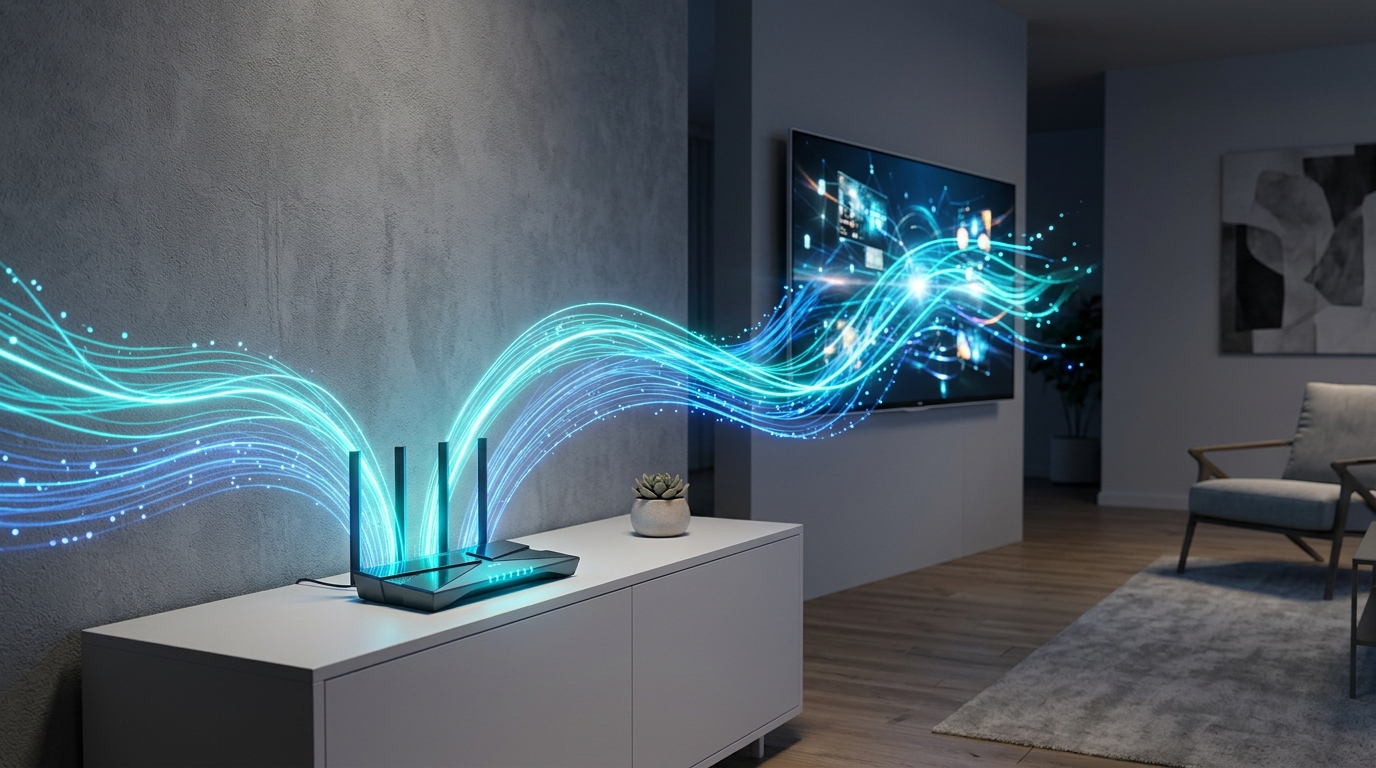
Modern Wi-Fi 6 and 5 GHz networking ensures consistent 4K 60FPS bandwidth without packet loss.
A frequent anxiety among prospective cord-cutters is whether their residential broadband connection has sufficient throughput to support multiple simultaneous high-definition streams without causing household internet slowdowns. The good news is that modern video compression algorithms have dramatically reduced the bandwidth needed to deliver uncompromised picture quality, as detailed in our guide to eliminating stream buffering.
To understand your household bandwidth requirements, consider the bitrate consumption across standard video resolutions utilized by iScreenHD: a standard definition (SD 480p) stream consumes approximately 2 to 3 Mbps; a high-definition (HD 720p) stream consumes 4 to 6 Mbps; a full high-definition (FHD 1080p at 60 frames per second) broadcast uses approximately 8 to 12 Mbps; and an ultra-high-definition (4K UHD HDR) broadcast streams at 20 to 25 Mbps. Because iScreenHD employs high-efficiency video coding (H.265/HEVC), our servers deliver pristine broadcast clarity while using up to 40% less bandwidth than uncompressed legacy feeds, with full details in our IPTV network FAQs.
To calculate your household's ideal internet tier, simply multiply the number of simultaneous active screens by the highest quality resolution they will consume, then add a 25 Mbps buffer for general web browsing, smart home devices, and video calls. For example, a home with two televisions streaming 1080p 60FPS sports simultaneously requires approximately 20 to 25 Mbps of dedicated throughput. A family streaming three 4K displays simultaneously requires approximately 65 to 75 Mbps. Consequently, virtually any standard entry-level residential fiber or cable internet package offering 100 Mbps, 300 Mbps, or 500 Mbps provides more than enough overhead to power flawless multi-screen IPTV throughout the entire home on any of our multi-connection IPTV subscriptions.
However, the primary bottleneck in 90% of home networks is not the raw speed delivered to your modem from your internet provider—it is the local Wi-Fi distribution within your home. Standard router units provided by telephone and cable companies are notorious for suffering from Wi-Fi congestion, radio frequency interference, and weak signal propagation across interior walls. To ensure your IPTV streams never encounter local packet loss, consider connecting your main living room television via a hardwired Ethernet cable or investing in an inexpensive dual-band Wi-Fi 6 mesh system (such as Amazon Eero, TP-Link Deco, or Google Nest Wifi) to maintain rock-solid wireless connectivity, which we explain in our best streaming hardware for IPTV benchmark.
The Hardware Arsenal: Selecting the Perfect Streaming Gateway for Every Room
Unlike legacy cable which forces you to install proprietary, power-hungry set-top boxes supplied by your service provider, IPTV gives you total freedom to choose the streaming hardware that best fits your lifestyle, aesthetic preferences, and budget. Whether you prefer an inexpensive streaming stick hidden discreetly behind a bedroom TV or a high-end home theater media hub with spatial audio decoding, there is an ideal gateway for every scenario, as thoroughly tested in our top streaming devices hardware benchmark.
The Amazon Fire TV Stick 4K Max represents the gold standard for price-to-performance in the cord-cutting community. Featuring a responsive quad-core 2.0 GHz processor, 16 GB of onboard storage, Wi-Fi 6E support, and seamless hardware-accelerated video decoding, the Fire TV Stick 4K Max boots in seconds and executes channel switches in under one second. Its Fire OS platform makes downloading dedicated IPTV players effortless via the Amazon Appstore and Downloader app, which you can easily set up by following our Firestick IPTV installation tutorial. For the overwhelming majority of households, outfitting each television with a Fire TV Stick 4K Max provides an extraordinary, highly responsive user experience at a hardware cost that pays for itself in less than two weeks of canceled cable bills.
For technology enthusiasts and audiophiles seeking the absolute pinnacle of visual and acoustic fidelity, the Apple TV 4K (3rd Generation) stands in a league of its own. Powered by Apple’s desktop-grade A15 Bionic processor, the Apple TV 4K delivers buttery-smooth 60fps menu animations, instantaneous app launching, and reference-grade color reproduction with Dolby Vision and HDR10+ support. When paired with advanced tvOS IPTV players like UHF or Smarters Player Lite following our Apple TV IPTV setup guide, navigation feels leagues ahead of even the most expensive digital cable interfaces. Furthermore, Apple’s tvOS environment is completely devoid of intrusive third-party banner advertisements, providing a clean, distraction-free entertainment hub.
For power users who demand advanced home theater audio passthrough and multi-view sporting capabilities, the Nvidia Shield TV Pro remains legendary. Running on official Android TV, the Shield TV Pro features exclusive AI-enhanced 4K upscaling that sharpens older 720p and 1080p sports broadcasts in real time using deep-learning neural models. Supported by dual USB 3.0 ports for external hard drive recording, Gigabit Ethernet, and lossless Dolby Atmos TrueHD audio decoding, it is the undisputed tool of choice for home theater purists who want to run TiviMate’s 9-screen multi-view grid on a 100-inch projection screen, as highlighted in our Nvidia Shield Pro performance review.
Finally, if you prefer a minimalist aesthetic with zero external cables or secondary remotes, modern Smart TVs powered by Samsung Tizen OS, LG webOS, or Google TV allow you to install top-rated IPTV player apps (such as IBO Player, Smart STB, and Nanomid) directly from the television’s built-in application store by following our Samsung and LG Smart TV setup instructions. While television processors are generally less powerful than dedicated streaming sticks, they offer a convenient, all-in-one streaming solution for secondary guest rooms, kitchens, and home offices.
Retaining Local Broadcast Networks, Regional Sports, and Emergency News
Whole-home entertainment: Seamless access to live sports, local news, and movies without cable contracts.
The number one objection voiced by consumers considering cord-cutting is: "Will I still be able to watch my local news station in the morning and my hometown sports team on the weekend?" For years, cable providers weaponized this fear, warning customers that leaving cable meant losing access to local broadcasts. In 2026, that fear is completely obsolete when you switch to a modern provider like iScreenHD.
With iScreenHD, local network television is not sacrificed—it is vastly expanded. Our live television directory includes comprehensive regional station bouquets across all 50 US states, major Canadian metropolitan hubs, and international territories. Subscribers have instant access to US and Canadian local affiliate channels for ABC, CBS, NBC, FOX, The CW, PBS, Univision, and Telemundo spanning New York, Los Angeles, Chicago, Dallas, Atlanta, Miami, Toronto, Montreal, Vancouver, and hundreds of secondary media markets.
Furthermore, while traditional cable subscribers are frequently subjected to acrimonious corporate contract disputes—such as Disney or Warner Bros blacking out ESPN and ABC during the opening weekend of college football—iScreenHD operates on redundant multi-source ingestion feeds that ensure continuous broadcast uptime. When bad weather strikes, you can switch seamlessly to your regional meteorological alerts, local mayoral press conferences, and regional news coverage with zero reception dropouts, verified on our trusted IPTV provider guarantee.
For sports enthusiasts, the coverage is truly unparalleled. While legacy cable packages force you to pay for expensive out-of-market sports packages separately, iScreenHD bundles every major professional and collegiate sports network into one unified directory. You receive complete, unthrottled access to NFL Sunday Ticket, NFL RedZone, NBA League Pass, MLB Extra Innings, NHL Center Ice, ESPN, ESPN2, Fox Sports 1 (FS1), Fox Sports 2 (FS2), CBS Sports Network, NBC Sports, SEC Network, Big Ten Network, ACC Network, and international sports giants including Sky Sports, TNT Sports, and beIN Sports. Best of all, major Pay-Per-View (PPV) fighting championships—including UFC Main Cards, WWE premium live events, and world championship boxing bouts—are included in your subscription at zero extra charge, saving sports fans hundreds of dollars on pay-per-view fees every single month, which you can browse on our live sports and PPV schedule.
Binging on Demand: Exploring the 158,000+ Movies & Series Catalog
When you cancel cable, you do not simply replace live television—you gain access to a personal, commercial-free streaming cinema. Many cord-cutters find themselves juggling five or six separate on-demand streaming subscriptions (Netflix, Max, Disney+, Apple TV+, Paramount+, and Peacock), rapidly discovering that multiple $15/mo apps can quickly recreate the exact same $100/mo bill they were trying to escape, whereas an all-inclusive iScreenHD IPTV subscription consolidates everything into one.
iScreenHD eliminates the need for endless fragmented apps by integrating an colossal Video On Demand (VOD) library directly into your IPTV portal. Subscribers gain instant, unlimited access to over 158,000 titles, encompassing Hollywood blockbuster releases, classic cinema, international cinema, critically acclaimed prestige drama series, documentaries, anime, and children’s animated features. Our catalog is refreshed multiple times each week on our high-bandwidth cloud storage servers, adding new theatrical releases in crisp 4K Ultra HD with multiple subtitle tracks and original audio mastering.
Additionally, our platform incorporates a 7-Day Interactive Catch-Up Protocol across major live channels. If you worked late and missed the opening half of a football match, or forgot to tune in to a weekly broadcast of your favorite news magazine, you do not need to schedule complicated recording timers. Simply navigate backward on the electronic program guide timeline, select the earlier broadcast, and hit play to stream the complete high-definition replay on demand, with additional troubleshooting details in our IPTV player FAQs.
Selecting and Configuring Your Software: The Top IPTV Media Players
Once your hardware is plugged in, the final piece of the puzzle is selecting the media player application that will render your channels. While iScreenHD provides its own dedicated, optimized application for Android and Fire TV devices, our service is completely platform-agnostic and supports all industry-standard IPTV players via Xtream Codes API and M3U playlists, analyzed in our IPTV Smarters Pro vs TiviMate showdown.
IPTV Smarters Pro is the most globally recognized player, beloved for its intuitive, clean dashboard that cleanly segregates Live TV, VOD Movies, TV Series, and Catch-Up TV into bold visual categories. Smarters Pro includes native support for multi-screen viewing (allowing you to watch up to four live channels side-by-side on a single screen), built-in parental controls with PIN locks for adult categories, external player integration, and automatic EPG synchronization, all explained in our IPTV Smarters Pro setup walkthrough.
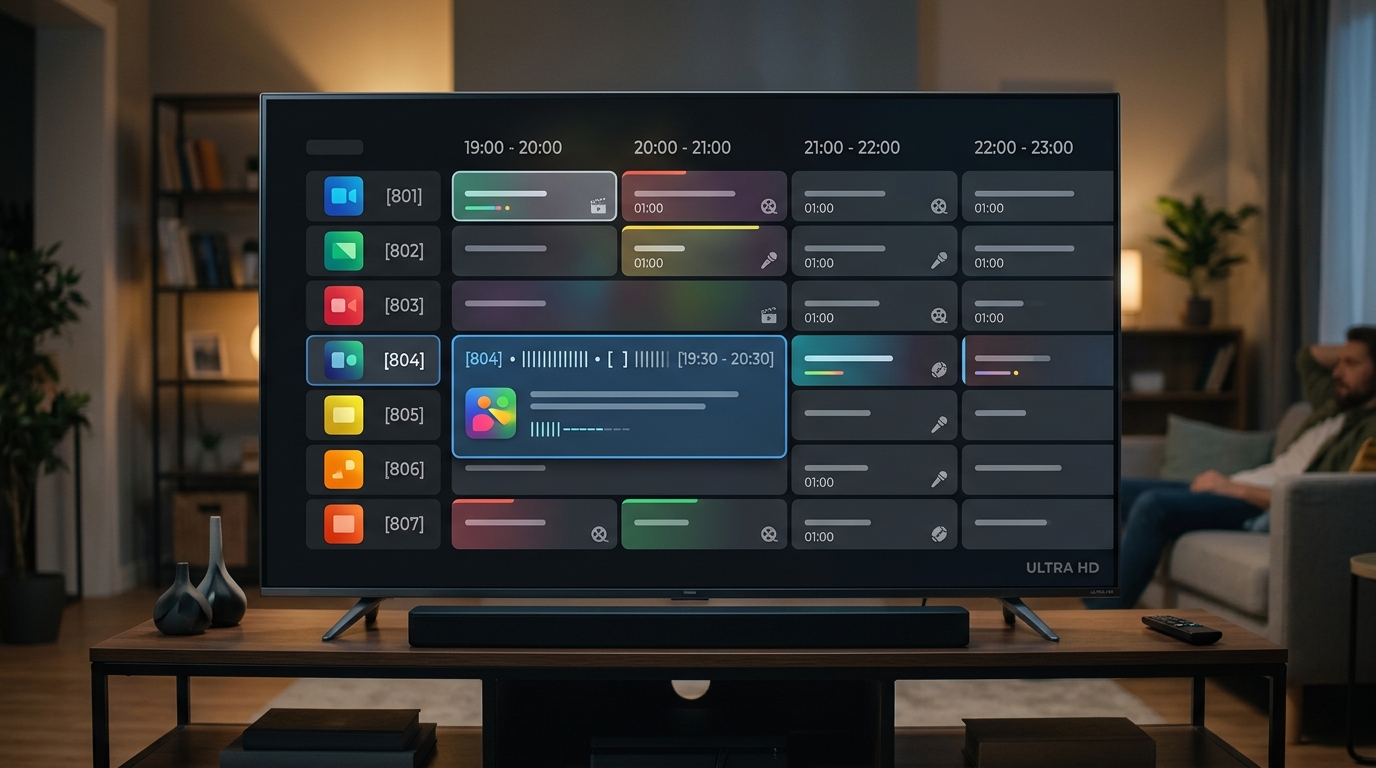
For those seeking an experience identical to high-end digital satellite receivers, TiviMate IPTV Player is universally celebrated as the premier Android TV and Firestick application. TiviMate features a blazing-fast, cable-style grid guide with translucent video-in-the-background previewing, instantaneous channel zap times under 800 milliseconds, customizable channel group ordering, automatic playlist backups to cloud storage, and scheduled local recording directly to USB drives or network-attached storage (NAS), thoroughly examined in our TiviMate quad-view sports features review.
For Apple ecosystem users, applications like UHF, Smarters Player Lite, and GSE Smart IPTV provide native tvOS and iOS experiences with AirPlay 2 support, Picture-in-Picture multitasking, and iCloud sync across iPhone, iPad, and Apple TV. Whichever player you choose, setting up iScreenHD takes less than three minutes: simply select "Login with Xtream Codes API," input your custom server URL, username, and password received in your activation email, and your complete 35,000+ channel catalog will download and organize itself automatically using our universal IPTV setup tutorials.
The 4-Phase Cord-Cutting Blueprint: How to Transition Without Stress
Transitioning your entire household away from legacy cable is smooth, stress-free, and exhilarating when executed according to a structured roadmap. Follow our proven four-phase blueprint to ensure your entertainment remains uninterrupted throughout the entire process, starting with a no-risk 24-hour trial test.
Phase 1: The Risk-Free Evaluation Period (Days 1–3). Never cancel your cable service on impulse before verifying your home streaming setup. Begin by requesting iScreenHD’s 24-hour free trial on your primary television. Download your preferred player app, input your test credentials, and explore your favorite channels. Pay close attention to video quality during Sunday afternoon football, evening local news, and primetime entertainment. Test channel switching speed and verify that all members of your household feel comfortable navigating the program guide across our complete live channel lineups.
Phase 2: Household Device Onboarding (Days 4–5). Once you are delighted with the stream quality, select an official iScreenHD subscription plan that matches your family’s needs. If your home has multiple televisions, select a multi-connection plan (available for 2, 3, 4, or 5 simultaneous screens). Install the application on the living room TV, master bedroom TV, children’s devices, and tablets using your unified login credentials on your recommended IPTV streaming sticks. Organize your "Favorites" list so that your most-watched sports and news stations are readily accessible with a single click of the remote control.
Phase 3: The Cable Cancellation Strategy (Day 6). Now that your IPTV service is completely operational with a flexible 1-month subscription or annual package, call your legacy cable provider to cancel your television subscription. Remember: you want to retain your high-speed internet service while canceling television packages, set-top box rentals, and sports tiers. Cable retention agents will offer aggressive discounts or short-term promotions to keep you locked in. Politely decline all offers, state firmly that you are eliminating linear television packages entirely, and request an official cancellation confirmation number along with instructions for hardware return.
Phase 4: Equipment Return & Financial Celebration (Day 7). Unhook all leased cable boxes, power cords, and remote controls. Pack them carefully and drop them off at your local UPS Store, FedEx depot, or cable service center. Be sure to obtain and retain a printed equipment return receipt with serial numbers clearly stamped to prevent billing disputes. Once completed, review your next monthly telecom bill: your television expenses will drop from $180+ down to $0, and your household will enjoy modern 4K streaming freedom while saving over $2,000 every single year with our annual $69.99 IPTV package.
Common Cord-Cutting Pitfalls and How to Avoid Them
While cutting the cord is straightforward, avoiding a few common missteps will ensure your streaming experience remains flawless for years to come, as outlined in our IPTV troubleshooting guide:
Pitfall 1: Purchasing Cheap, Unbranded "Fully Loaded" Android Boxes. Online marketplaces are flooded with generic $25 plastic Android TV boxes promising "free lifetime TV." These devices run uncertified, bloated tablet versions of Android, lack Google Play Protect certification, contain outdated hardware decoders, and are frequently infected with malware. Stick to reputable, certified hardware like the Amazon Fire TV Stick 4K Max, Apple TV 4K, Chromecast with Google TV, or Nvidia Shield TV Pro reviewed in our best streaming devices benchmark.
Pitfall 2: Neglecting Wi-Fi Signal Strength. If your streaming stick is located behind a thick plaster wall or inside a metal entertainment cabinet, your Wi-Fi signal may suffer from packet loss even if your internet plan is 500 Mbps. Always check the Wi-Fi signal strength in your streaming device settings. If signal quality is moderate or weak, use the HDMI extender included in your Firestick box to position the device away from metal interference, or use an Ethernet adapter as detailed in our guide to resolving Wi-Fi packet loss.
Pitfall 3: Subscribing to Multiple Overpriced Corporate Apps. Many cord-cutters cancel their $150 cable bill only to immediately sign up for $100 worth of individual streaming apps like Peacock, Paramount+, ESPN+, and Starz. With iScreenHD, all premium live sports networks, PPV fight events, and on-demand entertainment are already integrated into our all-inclusive IPTV subscription plans, eliminating the need to pay for multiple recurring subscription services.
Pitfall 4: Choosing an Unverified, Single-Server IPTV Provider. The internet is littered with fly-by-night IPTV websites offering $5 subscriptions hosted on single, unmonitored servers. When major sporting events draw thousands of viewers, their servers inevitably crash, leaving you staring at a black screen. iScreenHD operates on a 7× distributed server mesh with automated edge-node load balancing, backed by an active 99.9% verified uptime guarantee and 24/7 technical customer support on WhatsApp, which you can verify on our trusted IPTV provider guarantee.
Security, Privacy, and VPN Best Practices for Modern Streamers
In the modern digital landscape, consumer privacy is more important than ever. When you stream video content over home broadband, your Internet Service Provider (ISP) continuously monitors your bandwidth consumption patterns. During peak network usage hours—such as Sunday NFL kickoffs, college football Saturdays, or major UFC championship bouts—telecom giants frequently employ Deep Packet Inspection (DPI) to identify high-volume streaming traffic and throttle connection speeds to prevent regional network strain, which is why we enforce a strict no-streaming-logs privacy policy.
Using a trusted, high-speed Virtual Private Network (VPN) provides a powerful shield against ISP interference. A VPN routes your internet traffic through an encrypted tunnel, masking your IP address and encrypting all data packets with military-grade AES-256 or ChaCha20 encryption. Because your ISP can only see scrambled, encrypted traffic, they cannot identify the type of content you are streaming or implement artificial bandwidth throttles, helping users bypass ISP bandwidth throttling completely.
When selecting a VPN for cord-cutting, prioritize services that offer modern, lightweight protocols like WireGuard, which provides blazing-fast connection speeds with virtually zero latency overhead. Premium VPN providers such as ExpressVPN, NordVPN, and Surfshark feature dedicated applications for Amazon Firestick, Apple TV, Android, and Windows, allowing you to connect with a single click. Best of all, iScreenHD’s server infrastructure is 100% VPN-compatible with zero geo-locking, allowing you to stream securely whether you are in your living room or traveling overseas on hotel Wi-Fi, as explained in our recommended VPN configurations.
Frequently Asked Questions About Cutting the Cord with iScreenHD IPTV
Below are authentic answers to the most common questions prospective cord-cutters ask before making the switch to iScreenHD IPTV, with even more inquiries addressed in our complete iScreenHD FAQ directory:
Can I truly cancel my cable TV package completely and keep only internet?
Yes, 100%. By law, internet service providers cannot force you to bundle television or home telephone service to receive broadband internet. Simply call your provider, request their standalone internet package (typically $40 to $65 per month for 100–300 Mbps), and cancel all video packages and box rentals.
Will my elderly parents or non-technical family members be able to use it?
Absolutely. Players like IPTV Smarters Pro and TiviMate feature clean, colorful TV guide interfaces that function just like traditional cable remotes. With dedicated channel numbers, favorites lists, and intuitive up/down channel flipping, most family members master the interface within ten minutes.
What happens if my internet connection goes down?
Like all internet-based streaming services (including Netflix, YouTube TV, and Hulu), IPTV requires an active internet connection. If your home broadband experiences an outage, you can easily connect your streaming stick to your smartphone’s mobile hotspot to continue watching live broadcasts.
Can I watch different channels in different rooms at the exact same time?
Yes! iScreenHD offers flexible multi-connection subscription plans supporting 2, 3, 4, or 5 simultaneous devices. With a multi-screen plan, one family member can watch live football in the living room while others stream movies or news in separate bedrooms under one single login.
Do I have to sign a long-term contract?
Never. iScreenHD operates on transparent, contract-free subscription terms. You can choose a 1-month, 3-month, 6-month, 1-year, or 2-year plan. There are no recurring auto-debits without your explicit renewal consent, and zero cancellation fees.
How does iScreenHD prevent buffering during major sports championships?
While budget providers rely on single, overcrowded servers, iScreenHD operates on a proprietary 7× distributed server mesh. When millions of viewers tune into high-stakes sports broadcasts simultaneously, our automated load balancers re-route traffic dynamically across redundant edge nodes in milliseconds to maintain 0% buffering.
What devices are compatible with iScreenHD IPTV?
iScreenHD works smoothly on Amazon Fire TV Stick (all generations), Fire TV Cube, Apple TV 4K, Nvidia Shield TV, Android TV/Google TV boxes, Samsung & LG Smart TVs, Windows PCs, Mac computers, iPhones, iPads, Android smartphones, and MAG/Formuler boxes.
How quickly is my service activated after ordering?
Activation is virtually instantaneous. In most cases, your M3U playlist link and Xtream Codes API login credentials are dispatched to your email and WhatsApp within 5 to 10 minutes of order confirmation.
Conclusion: Reclaiming Your Entertainment Freedom and Financial Peace of Mind
Cutting the cord in 2026 is no longer about making sacrifices or settling for lower quality—it is an overwhelming upgrade in variety, picture clarity, convenience, and financial freedom. By eliminating inflated cable invoices, returning predatory rental hardware, and adopting iScreenHD’s high-performance 4K IPTV infrastructure, the average household saves over $2,200 annually while gaining unthrottled access to more than 35,000 live channels and 158,000 on-demand titles, fulfilling our mission at iScreenHD.
There is no need to make the leap blindly. Experience the difference for yourself by claiming iScreenHD’s 24-hour free IPTV trial today on your Firestick, Smart TV, or mobile device. Test live sports during peak hours, browse local broadcast feeds, inspect video fluidity, and discover how effortless modern television entertainment can be when engineered for the digital era. When you are ready, simply explore our IPTV subscription plans or contact our 24/7 customer support desk.
Test iScreenHD Risk-Free
Experience True 4K IPTV Streaming Today
Ready to cut the cord? Get instant access to 35,000+ live channels, sports, and movies with our 24-hour free trial. No credit card required.